
Finding a gaming laptop that balances next-gen performance with a realistic budget is often a game of compromise—but the ASUS Gaming V16 (V3607) might just have changed the rules. By stripping away the premium frills and focusing strictly on raw horsepower, ASUS has delivered one of the most accessible entry points to the RTX 50-series ecosystem. With a spacious 16-inch 144Hz display and the efficient Intel Core 5 processor, the V16 proves that you don’t need to break the bank to experience high-end gaming.
Design
Chassis & Aesthetics
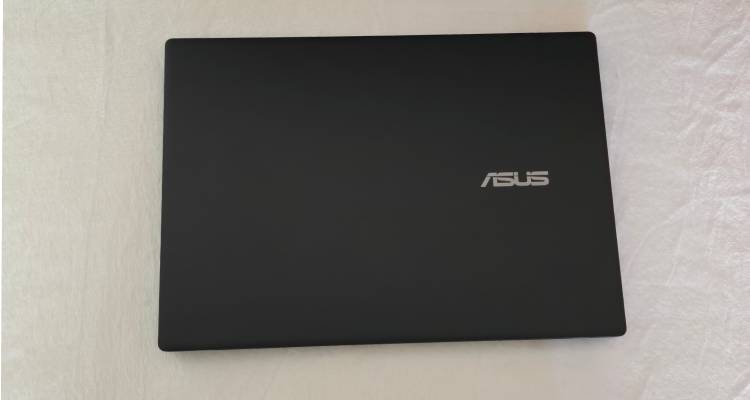
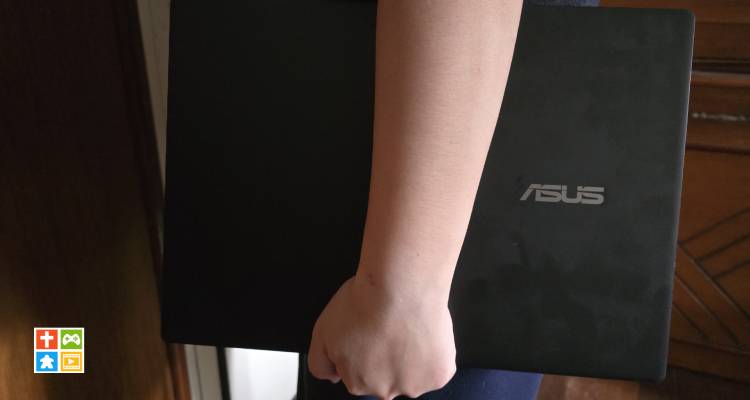
ASUS has opted for a “Stealth Black” plastic chassis. It does not scream “GAMER.” There are no aggressive vents on the side or glowing logos on the lid. You could easily take this into a boardroom or a classroom without drawing stares. While the plastic keeps the weight low (1.95 kg—very light for a 16-inch gaming rig), it does feel less premium than the ROG Zephyrus or TUF metal lids. Expect some flex in the keyboard deck if you press hard.
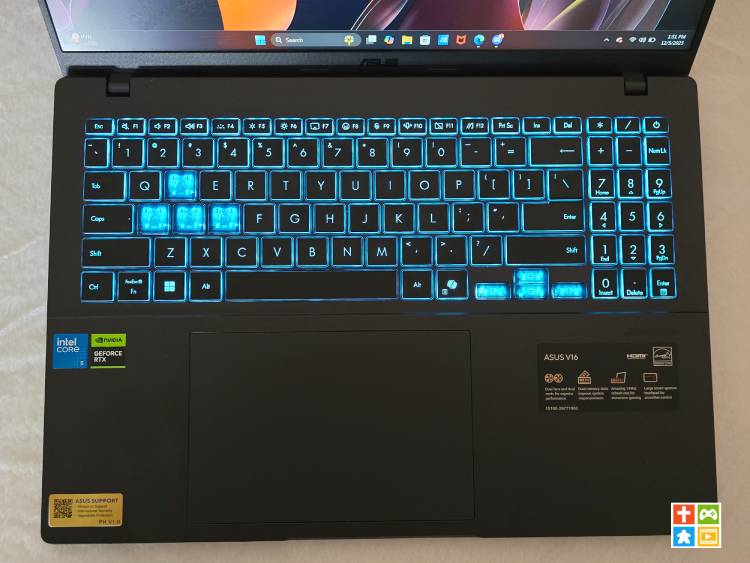
Meanwhile it’s the keyboard that gives way to the unit more than This is one of the few “gamer” giveaways. It features a Single Zone Blue Backlight (often called “Turbo Blue”). It’s unique but not RGB-customizable. The keys have a decent 1.7mm travel, making them comfortable for long typing sessions or gaming.
Display (The Mixed Bag)
The 16:10 aspect ratio (1920 x 1200) is a modern win. It gives you more vertical space than standard 16:9 laptops, which is excellent for browsing the web, coding, or working on documents. It has 144Hz refresh rate is perfect for the RTX 5060. Games like Valorant, Apex Legends, and Marvel Rivals will feel incredibly smooth.
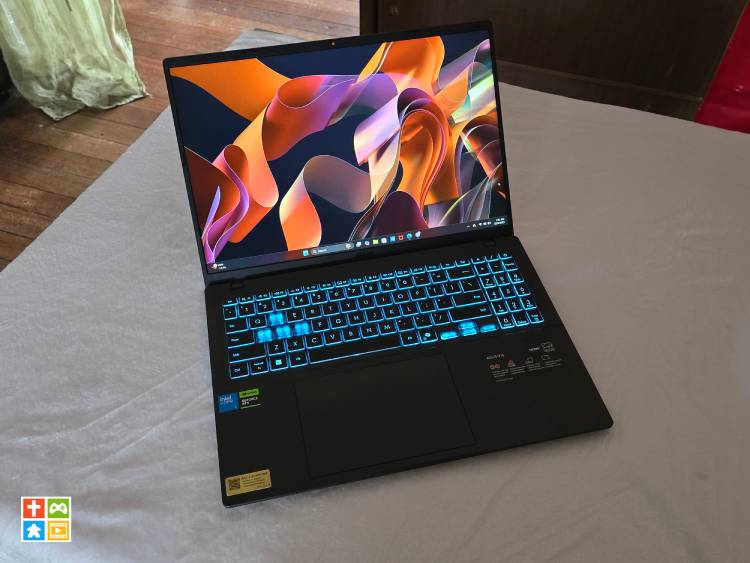
The 45% NTSC color gamut is the biggest trade-off. Colors will appear slightly washed out. If you are a video editor or graphic artist, do not rely on this screen for color grading. For pure gaming, it is acceptable.
I/O Ports
Here’s the rundown of the difference I/O Ports you’ll be getting from the unit:
Left side:
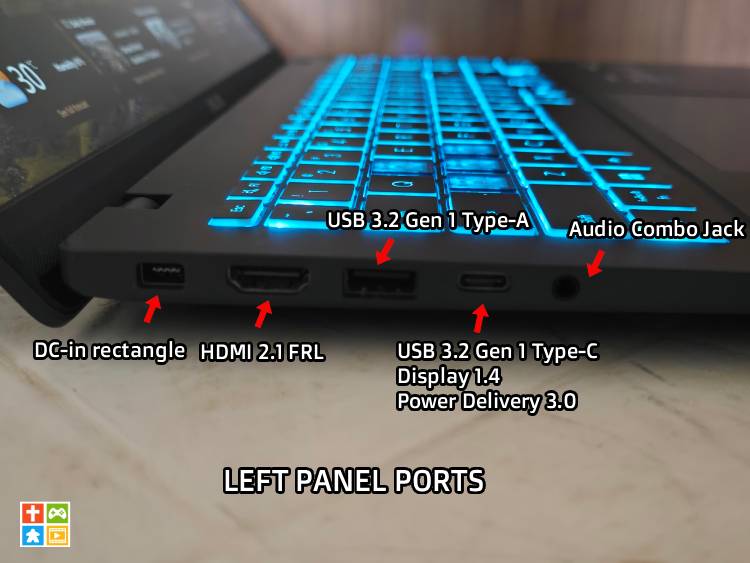
- x1 Audio Combo Jack
- x1 USB 3.2 Gen1 Type-C/DiplayPort 1.4/Power Delivery 3.0
- x1 USB 3.2 Gen1 Type-A
- x1 HDM 2.1 FRL
- x1 DC-in rectangle
Right Side:
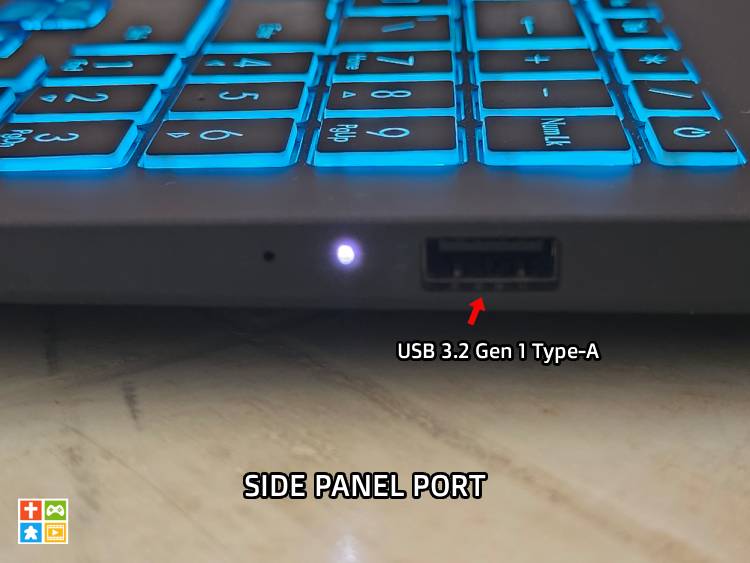
- x1 USB 3.2 Gen1 Type-A
The HDMI 2.1 allows you to plug into a 4K TV or high-refresh monitor easily. The USB-C port supports Power Delivery, so you can charge the laptop with a smaller GaN charger when you aren’t gaming.
Performance
Graphics
It is of note that the ASUS Gaming V16 comes with different configurations most especially that hinges on the GPU installed. There’s the configuration that contains the NVIDIA GeForce RTX 5060. These configurations start from the ₱66,995 upwards according to the V16 mini-site. While the other configuration contains the NVIDIA GeForce RTX 4050 which is the GPU that this review unit is using.
I was able to play Marvel Rivals, Cybperpunk 2077 and even Dune at high settings comfortably.
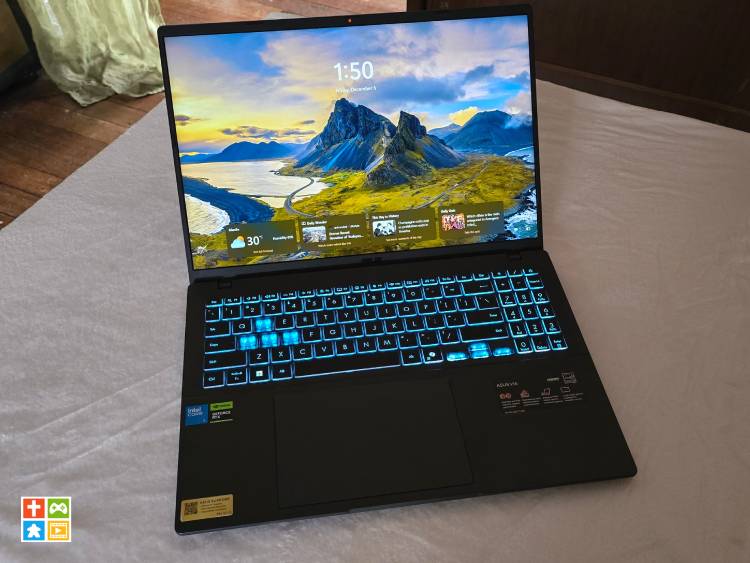 vals
vals
Processor
The ASUS Gaming V16 also comes with different configurations when it comes to the CPU. You can get either the Intel Core 5 210H or the Intel Core 7 240H processor.
Memory & Storage
Typical to RAMs these days, the ASUS Gaming V16 runs on DDR5 RAM with the lowest at 8GB while the rest is at 16 GB. However, since the device comes with 2x SO-DIMM slots. You can easily upgrade your RAM.
The unit comes with 512GB but some configurations comes with 1 TB. It should be noted that the unit on all configurations only has one M.2 slot. So if you aim to upgrade to higher storage, you need to slot out the one installed to make it bigger.
Thermals & Noise
The V16 uses a dual-fan setup. Because the chassis is thin and plastic, the fans will spin up loudly during intense gaming to dissipate heat. Use headphones while gaming is advised. Meanwhile, the keyboard area (WASD) stays relatively cool, but the area above the keyboard (near the screen) will get quite hot to the touch from prolonged use.
Verdict
The ASUS Gaming V16 (V3607) is a quintessential “bang-for-your-buck” laptop. It sacrifices premium build quality and screen color accuracy to deliver next-generation performance (RTX 5060) at a more accessible price point. It sits squarely below the ASUS TUF series, essentially acting as a gaming-grade Vivobook.
This unit is ideal for Students, gamers, and budget-conscious users who want maximum frame rates and don’t care about a “fancy” metal chassis. While this unit is not for Professional content creators (photo/video editors) or users who need a premium, all-metal build.
Spec Sheet (Review Unit)
This is the rundown of the specs for the review unit I’ve used (as mentioned you can upgrade the GPU, CPU, and even RAM based on the configuration you will be getting, more info here.)
|
ASUS GAMING V16 (V3607)
|
|
|
CPU
|
|
|
Display
|
|
|
Operating system
|
|
|
Graphics
|
|
|
Main memory
|
|
|
Storage
|
|
|
Connectivity
|
|
|
Camera
|
|
|
I/O ports
|
|
|
Keyboard
|
|
|
Touchpad
|
|
|
Audio
|
|
|
Battery
|
|
|
AC adapter
|
|
|
Dimensions
|
|
|
Weight
|
|